

개요
대상 고객 타겟팅을 통해 소매업체는 고객 데이터를 활용하여 보다 정확한 광고 캠페인을 진행할 수 있습니다. 이 기능을 사용하면 고객 및 대상 데이터를 동기화하여 광고주에게 타겟팅된 세그먼트를 제공할 수 있어 캠페인 성과와 ROI를 향상시킬 수 있습니다.
주요 이점
- 타겟팅 정밀도 향상: 퍼스트 파티 고객 데이터를 활용하여 보다 정확한 대상 고객 세분화를 실현합니다.
- 캠페인 성과 향상: 구매 광고내역, 인구 통계 및 행동 데이터를 기반으로 특정 고객 세그먼트를 타겟팅합니다.
- 채널 간 활성화: 오프사이트 통합 고객의 경우 온사이트 개인화 및 오프사이트 광고 캠페인 모두에 대상 고객 데이터를 활용합니다.
- 실시간 동기화: API 사용 시 자동 동기화 기능을 통해 대상 고객 데이터를 최신 상태로 유지합니다.
- 프라이버시 중심 옵션: 안전한 데이터 처리를 통해 고객 프라이버시를 유지하는 동시에 효과적인 타겟팅을 지원합니다.
작동 방식
대상 고객 타겟팅은 통합, 활성화 및 최적화의 세 단계 프로세스를 통해 실행됩니다.
통합
소매업체는 세 가지 통합 방법 중 하나를 사용하여 플랫폼과 고객 및 대상 고객 데이터를 통합합니다. 각 방법은 고객이 적절한 대상 고객 세그먼트로 연결되도록 보장하며 필요 시 특정 광고주 팀으로 세그먼트를 제한할 수 있습니다.
소매업체는 광고 요청에 현재 브라우징 중인 고객의 고객 ID가 포함되어 있는지 확인해야 합니다. 이 고객 ID는 세그먼트에 연결되어 있으며 해당 세그먼트는 광고 마법사에 표시됩니다. 또는 소매업체가 광고 요청에서 직접 세그먼트 ID를 제공하여 광고 마법사 타겟팅에 직접 연결할 수 있는 방법을 제공합니다.
활성화
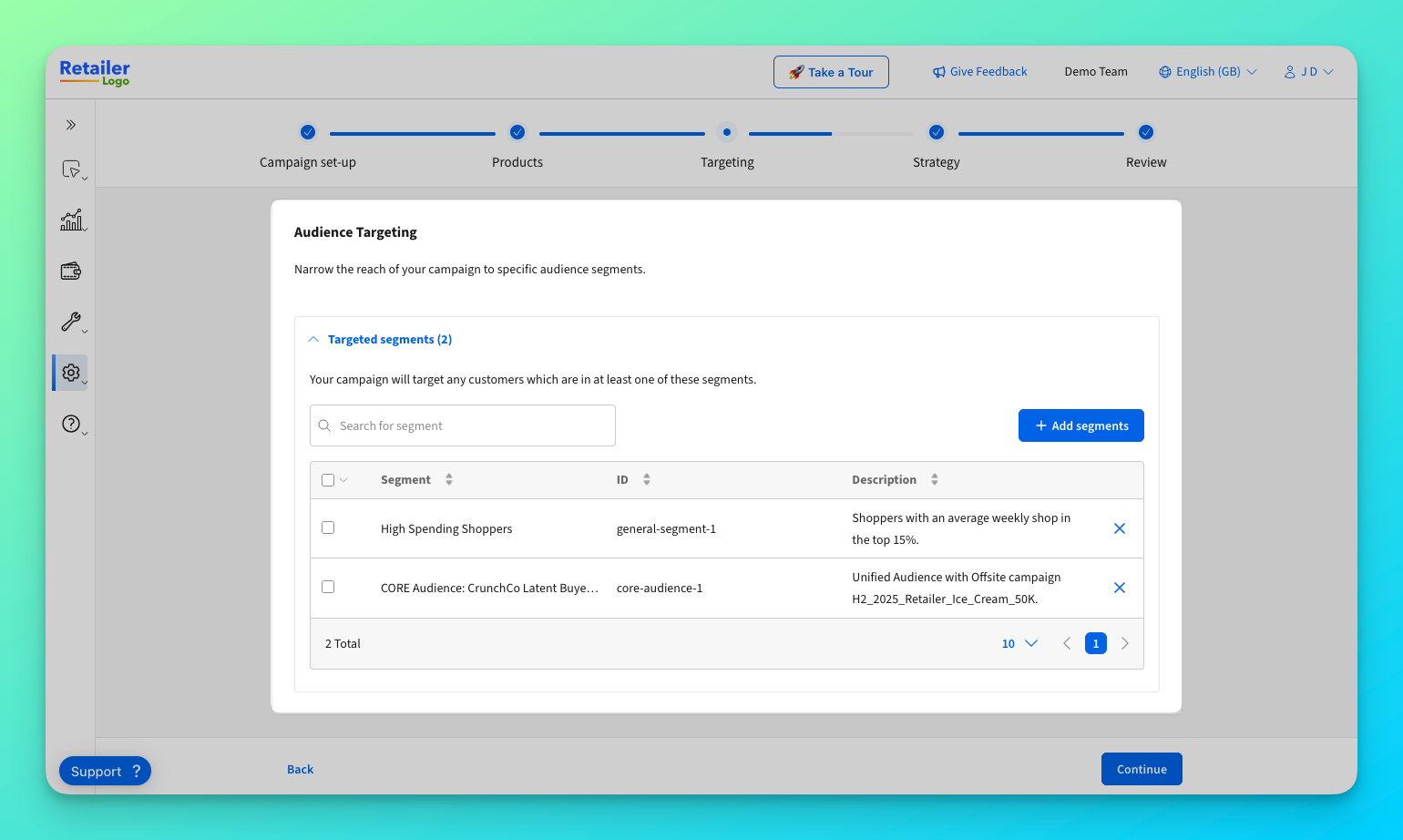
통합이 완료되면 광고주는 캠페인 관리 인터페이스 내에서 이용 가능한 대상 고객 세그먼트를 선택할 수 있습니다. 세그먼트는 특정 팀을 위해 큐레이션되거나 모든 광고주와 공유될 수 있습니다. 여러 세그먼트를 선택하여 도달 범위를 넓힐 수 있으며 선택된 세그먼트의 고객도 타겟팅 대상이 됩니다. 다음은 캠페인 생성 시 예시 세그먼트입니다.
최적화
캠페인 성과는 UI 보고 기능을 통해 모니터링하고 개선할 수 있습니다. 광고주는 UI에 직접 표시되는 성과 지표를 기반으로 캠페인을 조정할 수 있습니다.
Epsilon과 오프사이트로 통합된 소매업체의 경우 캠페인에 대한 통합 보고를 통해 전체 고객 라이프사이클에서 메시지 전달 효과를 보여줄 수 있습니다.
통합 방법
브랜드가 대상 고객을 타겟팅할 수 있도록 Epsilon은 대상 고객을 동기화하는 세 가지 고유한 방법을 제공합니다.
- 큐레이션된 통합 대상 고객: 오프사이트에 이미 통합된 소매업체를 위해 Epsilon에서 사전 큐레이션한 세그먼트를 사용합니다.
- 고객 및 대상 고객 동기화: 소매업체가 파일이나 API를 통해 고객 ID와 세그먼트 정의를 모두 제공합니다.
- 곧 출시 예정: 고객만 동기화: 고객 식별자는 노출하지 않고 세그먼트 ID만 공유하는 프라이버시 중심 방식입니다.
각 방법은 고객이 적절한 대상 고객 세그먼트로 연결되도록 보장하며 필요 시 특정 광고주 팀으로 세그먼트를 제한할 수 있습니다.
통합 방법 비교
| 특징 | 큐레이션된 통합 대상 고객 | 고객 및 대상 고객 동기화 | 대상 고객만 동기화(출시 예정) |
|---|---|---|---|
| 추천 대상 | 오프사이트와 통합된 소매업체 | 기존 클린룸/대상 고객 설정을 갖춘 소매업체 | 고객 ID를 공유할 수 없고 개인 정보 보호에 중점을 두는 소매업체 |
| 설정 복잡성 | 없음* | 낮음-중간 | 중간-높음 |
| 고객 ID 필요 | 예 | 예 | 아니요 |
| 통합 방법 | 오프사이트 통합 | 파일 또는 API | 파일 또는 API |
| 개인정보 보호 수준 | 표준 | 표준 | 높음 |
*온사이트 및 오프사이트 통합이 완료되어 정상적으로 운영되고 있음을 전제로 합니다.